NEW! Windows Capacity Check Free ToolMonitor Windows Server Capacity
|
 |
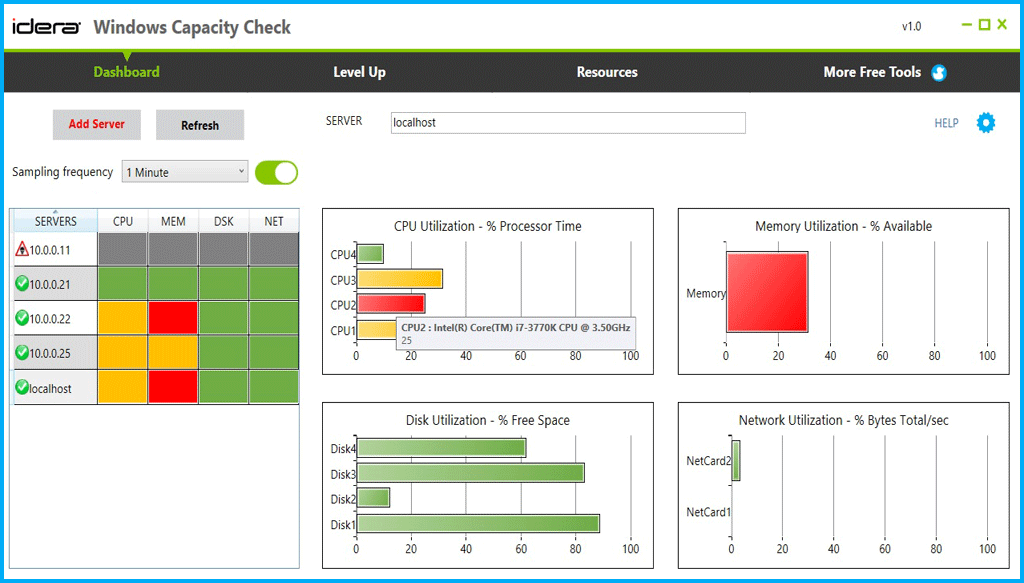
OverviewMonitor Windows Server CapacityMonitoring capacity is important to the overall health of your Windows Server environment. View key capacity indicators in a single dashboard so you can quickly check capacity and adjust server workloads as needed to keep performance from suffering. Balance Resource UtilizationSee at-a-glance the utilization of CPU, memory, disk, and network resources on up to 10 servers. Easily identify over-utilization so you can balance workload with under-utilized servers. View over time to identify opportunities to decrease or needs to increase capacity. View Servers and ComponentsEasy to understand heat map view shows potential capacity problems by server and resource color coded based on capacity thresholds you select. Selecting an individual server shows capacity utilization by server component such as CPU, disk, or network interface. Simple Installation, No Agents RequiredInstall and configure in minutes with no agents to impact performance. DOWNLOAD NOW |
Windows Server 2008 R2,
Windows Server 20012 R2, Windows 7 SP1, Windows 8, Windows 8.1  Unified, Comprehensive,
and Scalable IT Monitoring Dashboard that's Easy to Use. |